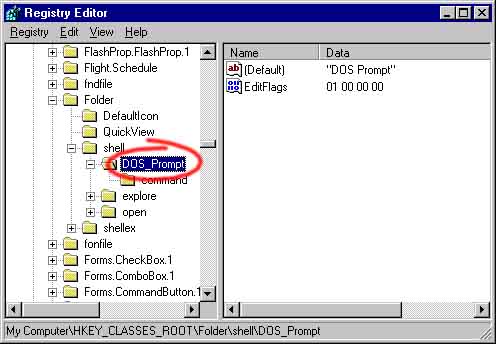
If you find yourself in this predicament, use RegEdit to correct the problem. Use the "Find" command to search for the string "DOS Prompt" (or whatever you called your menu item). You should find it under the path:
My Computer\HKEY_CLASSES_ROOT\Folder\shell\DOS_PromptNow, simply delete the key "DOS Prompt". Or, alternatively, you may modify the command by changing the value under the "command" key.